

Algorithmic - photo to video
Upload your property photos and our Algorithmic generator creates professional video walkthroughs with smooth camera movements in minutes. No filming required. No AI hallucinations. No fake details. Just cinematic motion from real photos. “Lens2Go uses longer, cinematic motion per image — not rushed templates.”
One time use
Perfect for testing our AI technology
- 1 Video project
- HD video quality
- 20 generations per project
- Near instant delivery
- Vertical or landscape
- No subsciptions
- Custom branding & logos
- Add our music or your own
- Commercial usage rights
- Multiple export formats
- Choose from 14 video effects
- Add text
- Add inbuilt icons
- Adjust your images
- One click video generation
- Management dashboard
- Intro/outro agent details
- Post videos direct to socials
- Regenerate video formats
- Free mobile app
- Team space - Unlimited users
Business
Ideal for agents and photographers
- 10 Video projects
- Hd video quality
- 20 generations per project
- Near instant delivery
- Vertical or landscape
- No Subscriptions
- Custom branding & logos
- Add our music or your own
- Commercial usage rights
- Multiple export formats
- Choose from 14 video effects
- Add text
- Add inbuilt icons
- Adjust your images
- One click video generation
- Management dashboard
- Intro/outro agent details
- Post videos direct to socials
- Regenerate video formats
- Free mobile app
- Team space - Unlimited users
Professional
Best for teams and high-volume users
- 25 Video projects
- Hd video quality
- 20 generations per project
- Near instant delivery
- Vertical or landscape
- No subscriptions
- Custom branding & logos
- Add our music or your own
- Commercial usage rights
- Multiple export formats
- Choose from 14 video effects
- Add text
- Add inbuilt icons
- Adjust your images
- One click video generation
- Management dashboard
- Intro/outro agent details
- Post videos direct to socials
- Regenerate video formats
- Free mobile app
- Team space - Unlimited users
It's quick and easy
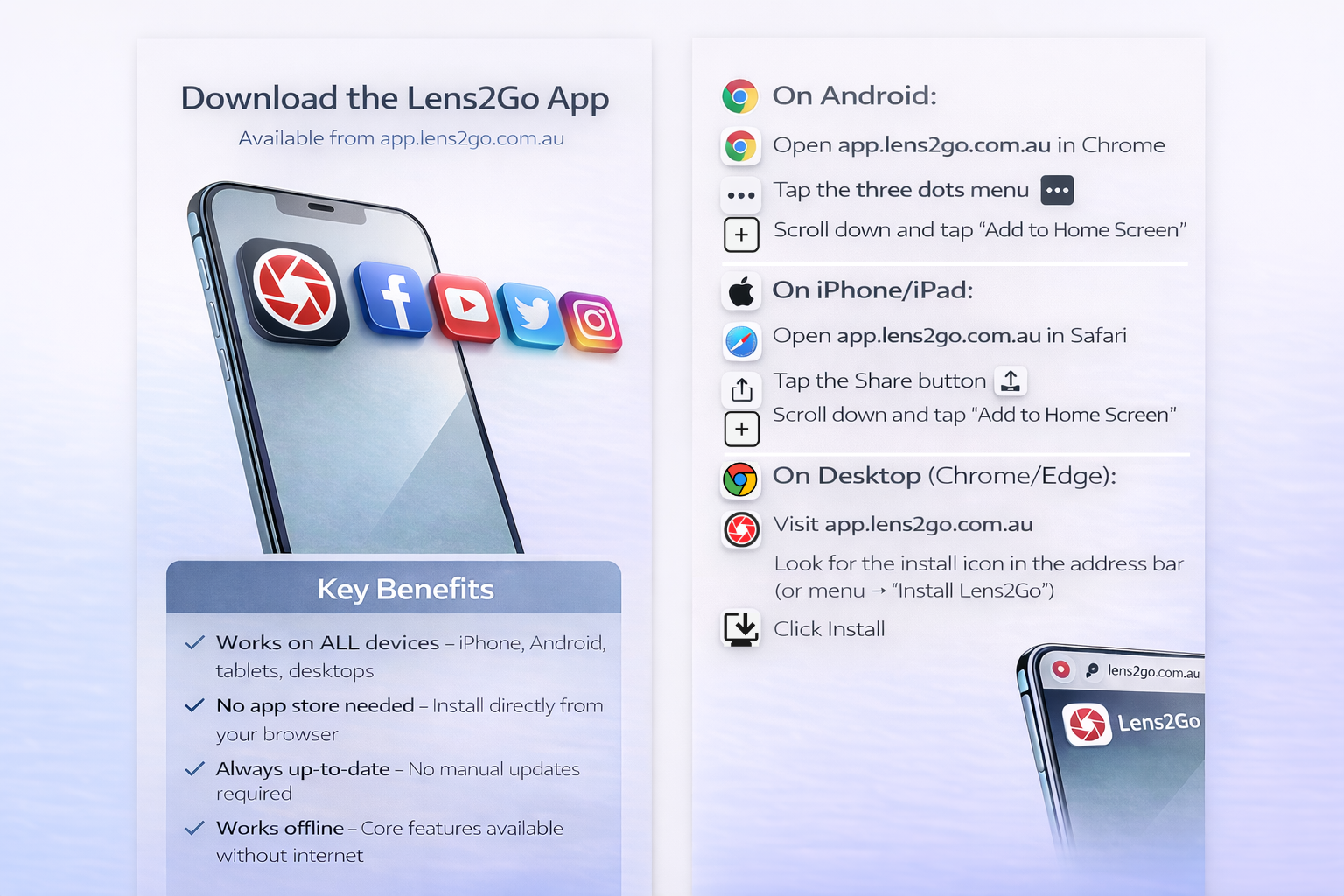
Our simple to use features
With everything you need to create amazing slideshow videos
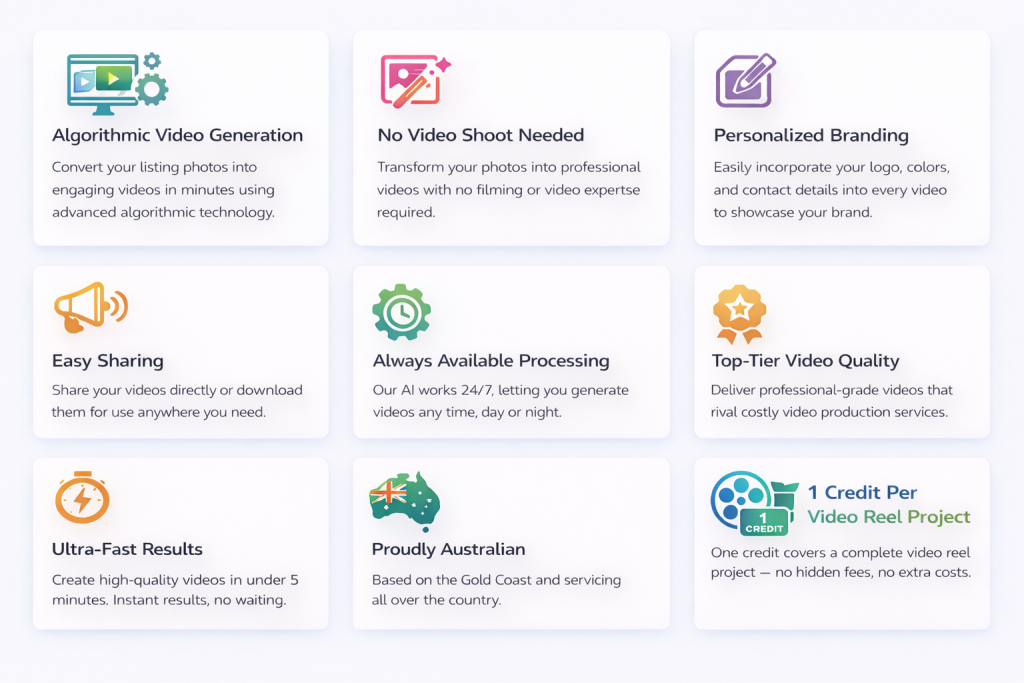
Personal user dashboard
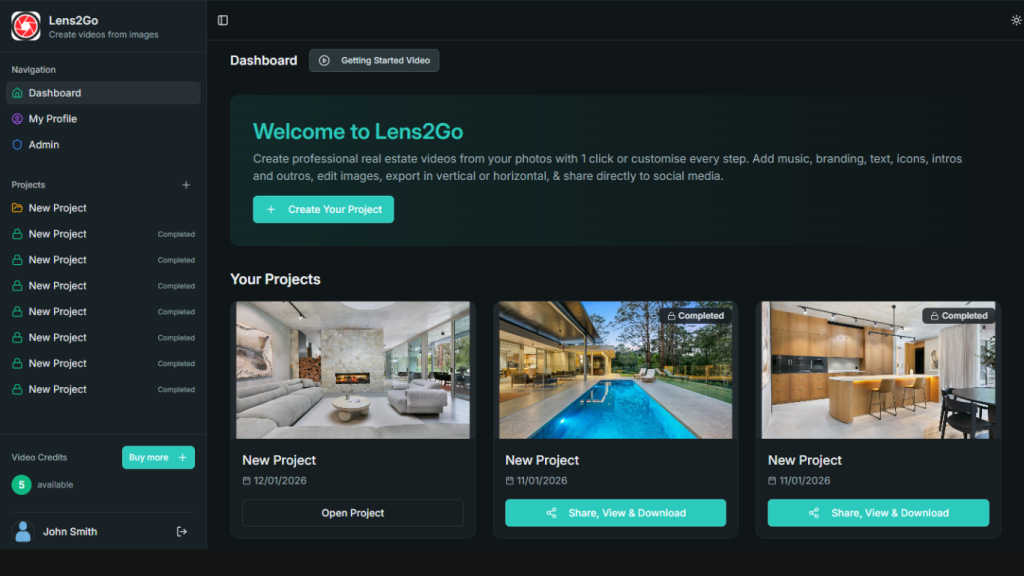
Photo to Video Example
Use the downloaded video in a video block with self hosting or add to your youtube/vimeo
Add Directly to Any Website — Your Way
You can use the supplied HTML code in a html block
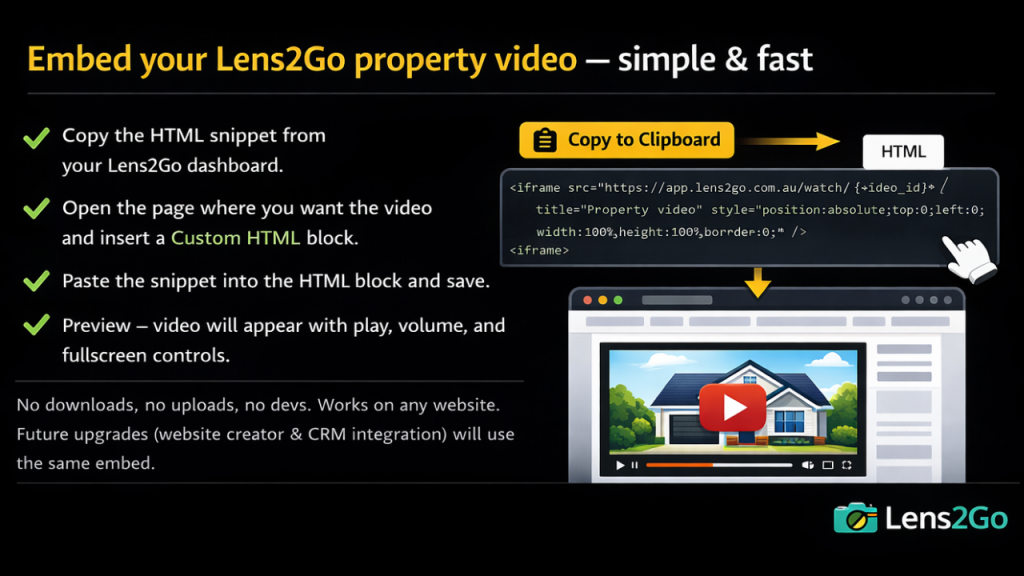
Example video – embedded directly with html & hosted by lens2go
How to - Videos
Auto Generate
Full Control
Quick Overview
Podcast
Team Space – One Account. Unlimited Agents.
Create one Lens2Go account and let your entire team work from it.
Agents log in with a simple PIN, create videos from property photos, and download instantly — all using the main account’s credits.
Admins get full visibility with a team dashboard showing:
Who created what
How many credits were used
Total team activity
No per-user subscriptions.
No complex logins.
Just fast, shared access built for real estate teams.
- Read a full description at the bottom of this page
Algorithmic Photo to Video Reels
For Real Estate & Property Marketing
Lens2Go Photo to Video Projects are purpose-built for real estate agents and property professionals, making it easy to transform real property photos into high-quality, professional video reels — without using generative AI.
Unlike AI-generated or AI-enhanced video tools, Lens2Go uses advanced algorithmic motion techniques to create smooth, cinematic video movement directly from your original photos. This ensures every video accurately represents the real property, exactly as photographed — with no AI hallucinations, fabricated details, or altered spaces.
This approach is especially important for real estate marketing, where agents have a legal and professional responsibility to present properties truthfully. With Lens2Go, buyers see the real home, the real rooms, and the real layout, converted into video using controlled camera motion effects — not artificial imagery. “Lens2Go uses longer, cinematic motion per image — not rushed templates.”
Professional Photo to Video Creation for Property Listings
Lens2Go converts property photos into HD real estate videos using intelligent motion algorithms such as cinematic zoom, pan, and parallax-style camera movement. Videos are generated quickly with one-click processing, or fully customised for complete creative control.
Choose from 14 built-in video motion effects, add text overlays and icons, fine-tune brightness and saturation, and create polished property videos with no subscriptions or ongoing fees. Videos can be generated in vertical or landscape formats, ensuring compatibility with Instagram, Facebook, LinkedIn, Twitter (X), Pinterest, property portals, email campaigns, and website embeds.
New: Direct Social Media Posting
Lens2Go now allows you to post property videos directly to social media from the dashboard, streamlining real estate marketing workflows. Instantly share videos to Twitter (X), Facebook, LinkedIn, Pinterest, WhatsApp, or via email — without downloading and re-uploading files.
This built-in social posting feature saves time, reduces friction, and helps property listings reach buyers faster across multiple digital channels.
New: Agent-Branded Intro & Outro Videos
Each project includes professional intro and outro video scenes designed specifically for real estate branding. Add agent photos, agent names, agency logos, contact details, and full property information to the opening and closing of every video.
This creates a consistent, branded video presentation that strengthens agent identity, clearly displays property details, and improves engagement across social media, property listings, digital advertising, and email marketing.
Flexible Projects, Full Control
Each Lens2Go Photo to Video Project includes up to 20 video generations, giving agents the flexibility to refine layouts, messaging, motion effects, intros, and outros until the final video is exactly right.
Add custom branding and logos, use the built-in music library or upload your own audio, and export videos in multiple formats ready for:
Real estate websites
Property portals
Social media marketing
Digital advertising
Email campaigns
Client presentations
Built for Real Estate Accuracy & Compliance
All Lens2Go Photo to Video Projects include commercial usage rights and are managed through a simple project dashboard, allowing users to organise, update, regenerate, and repost videos at any time.
By using algorithmic photo-to-video motion instead of generative AI, Lens2Go delivers a safer, more accurate solution for real estate professionals who need to market properties with confidence, transparency, and compliance.
While designed specifically for real estate and property marketing, Lens2Go can also be used by other industries or for private projects — offering a fast, scalable way to turn real photos into professional, high-quality videos.
Lens2Go Team Space – How It Works
Overview
Lens2Go Team Space lets a single main account power any size team — from 1 agent to 1,000+ agents — without complexity, extra logins, or separate billing. All from inside your https://app.lens2go.com.au dashboard.
All team members work inside one shared account, using the main account’s credits, while the admin maintains full visibility and control over who is creating what and how many credits are being used.
No subscriptions per user.
No complicated permissions.
Just fast, shared access with clear accountability.
For the Main Account Admin
Creating the Team Space
When you create a Lens2Go account, it becomes the main team account. From your profile dashboard, you can:
Add team members (agents, staff, contractors)
Assign each member a unique PIN
Optionally upload a name and photo for easy identification
Approve or remove members at any time
There is no limit to how many team members you can add.
How Team Members Use the Account
Team members do not create their own Lens2Go accounts.
Instead:
They access the shared Lens2Go workspace
Select their name
Enter their PIN
Start creating projects immediately
This keeps onboarding instant and friction-free.
Project & Credit Tracking
Every project created inside the team space is automatically tracked to:
The specific team member
The property/project name
The number of credits used
Credits are always deducted from the main account, but usage is clearly attributed to each team member.
Admin Dashboard & Monitoring
The main account admin has a Team Dashboard that shows:
All team members
Each member’s activity
Projects created by each member
Credits used per member
Total team credit usage
This makes it easy to:
Monitor usage
Allocate costs internally
Identify heavy or inactive users
Keep full visibility across the team
Managing the Team
From the admin dashboard, you can:
Add or remove team members
Reset or change PINs
Update names or photos
Instantly revoke access if someone leaves
No disruption to existing projects.
No need to reassign ownership.
For Individual Team Members (Agents & Staff)
Getting Started
Team members don’t need to sign up or manage accounts.
To start:
Open Lens2Go at – https://app.lens2go.com.au
- Log in to your company account
Select your name
Enter your PIN
Create your project
That’s it.
Creating Projects
Once logged in:
Create videos from property photos
Apply Lens2Go effects and styles
Download finished videos
Deliver to clients or upload to listings
All work is automatically saved and attributed to you.
Credits & Billing
Team members:
Do not manage payments
Do not buy credits
Do not see billing details
Credits are handled by the main account admin.
You just create.
Transparency & Accountability
Every project you create:
Is visible to the main account admin
Shows your name and usage
Is clearly tracked for reporting
This keeps teams fast, organised, and accountable without slowing anyone down.
Why This Model Works
✔ No per-user subscriptions
✔ No complex permissions
✔ No email invites or passwords
✔ Instant onboarding
✔ Scales from small teams to large agencies
Lens2Go Team Space is built for real estate workflows, not enterprise software overhead.